
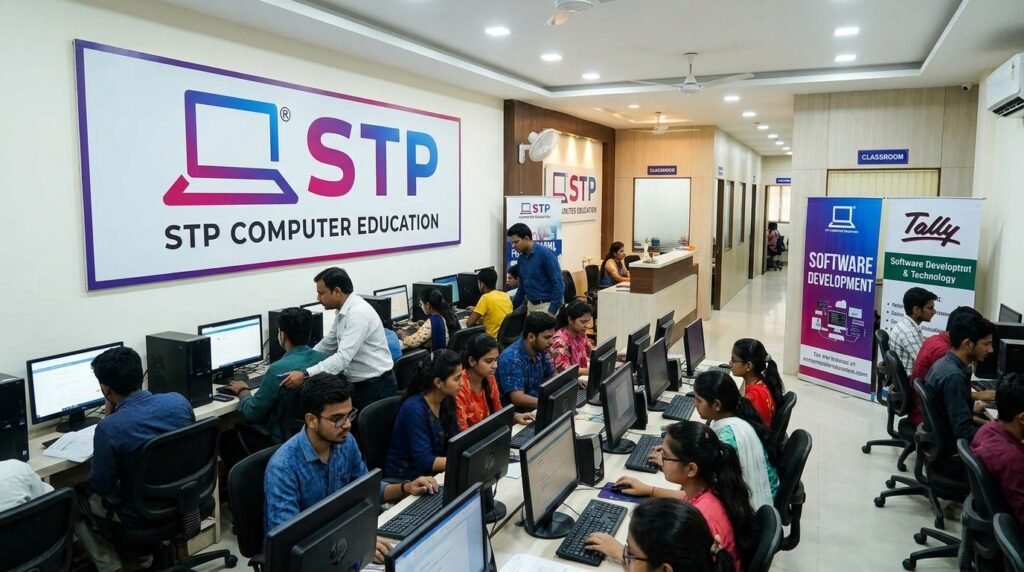
Learning computer skills can be useful for students, job seekers, professionals, and beginners who want to become more comfortable with technology. Stp Computer Education is an online computer-learning platform that currently provides courses ranging from basic computer knowledge to accounting, graphic design, web development, programming, and office software. Its official website describes the platform as focused on practical, job-oriented computer and digital-skills education.
The current course catalog includes both short specialist courses and longer programs. The platform also provides recorded lessons, PDF notes, quizzes, project-based practice, and support resources.
What Is Stp Computer Education?
It is an online computer-training platform operated under the STP Computer name. Its current About page says that the platform focuses on practical computer, software, and digital-skills courses for students, professionals, and beginners.
The current catalog contains courses covering basic computer operation, Tally, typing, office applications, graphic design, web development, Python, DCA, ADCA, Photoshop, CorelDRAW, and InDesign.
What Courses Are Available at Stp Computer Education?
The current Stp Computer Education course catalog contains several learning options with different durations. The listed programs range from one-month specialist courses to one-year programs such as Web Development and ADCA.
Basic Computer Course
The Basic Computer Course is designed for learners who want to build fundamental computer skills. Its syllabus includes computer hardware and software, operating-system basics, MS Word, MS Excel, MS PowerPoint, internet browsing, email, and communication. The current course page says that previous computer knowledge is not required and lists a three-month duration.
Tally Prime and Tally ERP 9
Stp Computer Education currently lists both Tally Prime and Tally ERP 9 courses. The catalog shows each as a one-month course.
The current Tally Prime course covers areas including company creation, ledgers, voucher entries, inventory, GST transactions, payroll, reports, and data backup or export.
English and Hindi Typing Courses
The platform currently lists separate English Typing and Hindi Typing courses. Both are shown in the catalog with a three-month duration.
Typing training can be useful for learners who want to improve keyboard-based computer work. However, completing a typing course alone does not guarantee employment because job requirements differ between employers.
MS Office and Advanced Excel
The current catalog lists an MS Office Course with a two-month duration and an Advance Excel Course with a one-month duration.
The broader DCA material also covers Microsoft Word, Excel, and PowerPoint. Excel topics include formulas, tables, conditional formatting, pivot tables, lookup functions, invoices, data tools, and other spreadsheet functions.
Graphic Design, Photoshop, and CorelDRAW
Stp Computer Education offers a three-month Graphic Design Course and separate one-month Photoshop and Corel Draw courses.
The current Graphic Design page covers Photoshop, CorelDRAW, and InDesign, along with photo editing, logo and branding design, social-media graphics, business cards, brochures, posters, and exporting designs for print and web.
Web Development, HTML, CSS, and JavaScript
The current Web Development Course is listed as a one-year program. Its syllabus includes HTML, CSS and CSS3, JavaScript, jQuery, Bootstrap, AJAX, SQL, PHP, and MySQL, as well as a live website project.
This makes the web-development program broader than simply learning basic HTML. It covers front-end technologies as well as server-side and database-related subjects.
Python Course
The current catalog lists Python as a three-month advanced course. Python is a programming language, so learners interested in this course should understand that programming requires regular practice. The course duration shown on the website is three months, but the amount of skill a learner develops will depend on study time and practice.
DCA and ADCA Courses
Stp Computer Education currently lists DCA as a six-month program and ADCA as a one-year program.
The DCA curriculum combines subjects such as computer fundamentals, Microsoft Office, Tally Prime, Photoshop, and HTML.
The ADCA curriculum is broader and includes computer fundamentals, Microsoft Paint, WordPad, Word, Excel, PowerPoint, Tally Prime, Photoshop, CorelDRAW, InDesign, HTML, CSS, and CSS3.
InDesign Course
The current catalog lists InDesign as a one-month course. InDesign is also included in the ADCA curriculum, alongside graphic-design and publishing-related subjects.
Stp Computer Education Course Duration and Learning Format
Course duration varies considerably. The current catalog lists one-month courses such as Tally Prime, Tally ERP 9, Advance Excel, Photoshop, Corel Draw, and InDesign. Basic Computer, Graphic Design, Python, and the typing courses are listed at three months, while DCA is six months and Web Development and ADCA are one year.
The individual course pages describe recorded video classes, PDF notes, Sunday live Q&A sessions, call support, and lifetime course access.
How Does Stp Computer Education Work?
Computer Education uses recorded online lessons as a central part of its learning format. The Basic Computer course recommends watching lessons regularly, practicing after each lesson, taking notes, revising, and asking questions during support sessions.
The approach allows learners to study at their own pace while using the available notes and support resources alongside the video lessons.
Key Features of Stp Computer Education
The platform combines video-based courses with additional study and practice resources. Its current website highlights free courses, PDF notes, quizzes, computer tips, no-login access, call support, and project-based practice.
Free Online Courses
The current course catalog displays the listed courses at ₹0.00 and marks them as 100% off from the reference prices shown on the site.
Because prices and course conditions can change, readers should check the current course page before relying on the displayed pricing.
Hindi-Language Learning
Computer Education describes its current courses as online computer courses in Hindi. The About page also says the platform uses simple language, step-by-step practice, and real-life examples to help beginners learn.
Video Lessons
Recorded video classes are provided with the courses. Learners are instructed to watch the lessons and practice the material after each lesson.
PDF Notes
Stp Computer Education provides downloadable PDF notes for several courses, including Basic Computer, Tally Prime, Graphic Design, Web Development, DCA, ADCA, Advance Excel, MS Office, Tally ERP 9, Photoshop, CorelDraw, and InDesign.
Quizzes and Practice Resources
The official website highlights computer quizzes and practice resources. Course information also describes Sunday live Q&A sessions where learners can ask questions and participate in quiz activities.
Project-Based Practice
The current About page says the platform uses regular practice, assignments, and small projects to build learner confidence. The Web Development course also includes a live project involving building and hosting a website.
Call Support
Computer Education currently lists call support from Monday to Saturday, 10:00 AM to 12:00 PM, on its homepage. Individual course pages also show morning call support during the same period.
Who Can Join Stp Computer Education?
The platform says its courses are intended for students, professionals, and beginners. The Basic Computer Course specifically states that no previous computer knowledge is required and lists a minimum eighth-class qualification.
Other courses have their own requirements. For example, the current Tally Prime page lists a minimum tenth-class qualification and basic computer knowledge as helpful, while the Graphic Design page lists a minimum ninth-class qualification and says basic computer skills are helpful.
What Can You Learn Through Stp Computer Education?
It covers a wide range of computer and digital skills. Depending on the selected program, learners can study basic computer operation, office software, accounting applications, typing, graphic design, web technologies, databases, programming, and related software.
The broader DCA and ADCA programs combine several of these areas into longer curricula, while specialist courses focus on particular skills.
Benefits of Learning Computer Skills Online
Online learning can make it easier to study computer subjects without attending every lesson in a physical classroom. Recorded videos can be reviewed, while PDF notes and support sessions provide additional learning resources.
The main benefit depends on the learner’s objective. Someone looking for basic digital knowledge may need a different course from someone interested in accounting, graphic design, web development, or programming.
Career Opportunities After Computer Training
Stp Computer Education course pages identify several possible work areas associated with the skills taught. These should be understood as potential career paths rather than guaranteed employment outcomes. Actual employment depends on skills, experience, qualifications, portfolio quality, and employer requirements.
Computer Operator and Office Work
The Basic Computer and DCA pages list computer operator, office assistant, and back-office work among potential areas after completing relevant training.
Data Entry
Data entry is also listed as a potential work area on the Basic Computer and DCA course pages. The exact skills and typing requirements vary by employer.
Accounting and Tally-Related Work
Stp Computer Education‘s Tally Prime course covers accounting, GST, billing, inventory, payroll, and reporting. The course page identifies roles such as Accountant, Tally Operator, GST Executive, Billing Clerk, and Office Assistant as possible work areas.
Graphic Design
Graphic-design training covers tools such as Photoshop, CorelDRAW, and InDesign. The course page lists potential areas including graphic design, freelance logo and poster creation, and design work for social platforms.
Web Development
Stp Computer Education‘s Web Development Course covers HTML, CSS, JavaScript, PHP, MySQL, and other web technologies. Its page identifies front-end development, back-end development, full-stack development, freelance web design, and website maintenance as potential work areas.
Freelancing and Digital Work
Some course pages mention freelancing-related work, including typing, virtual-assistant services, graphic design, and freelance web design. These are possible applications of the skills rather than guaranteed sources of income.
Stp Computer Education Certificate
Certification information requires some care because the current course pages and older official pages present different levels of detail. The current course catalog confirms the availability of the courses, while an older official STP certification page explains its certificate process and conditions.
Certificate Requirements
The older official contact information states that learners must appear for the relevant examination and pass it before downloading the certificate from the My Course section.
Examination and Certificate Process
According to that published information, the certificate is downloaded after successfully passing the online examination. The older site also provides a certificate-verification page where a certificate or diploma number and registration number can be entered for verification.
Certificate-Related Claims and Conditions
Stp Computer Education‘s older certification page says its certificate can be valid for government and private jobs subject to the terms and conditions of the particular job. That qualification is important: readers should not interpret the certificate as automatically satisfying every employer, government department, or recruitment requirement.
How to Start a Course at Stp Computer Education?
The simplest starting point is to review the current course catalog and choose a program that matches your learning objective. Each course page provides information about its duration, syllabus, eligibility, learning format, and available resources.
Learners should read the individual course page before starting because requirements and course details can differ between programs.
Is Stp Computer Education Suitable for Beginners?
Yes, several programs are explicitly designed with beginners in mind. The Basic Computer Course says that no previous computer knowledge is required, and the DCA and ADCA courses are presented as beginner-to-advanced programs.
A beginner may therefore start with basic computer training before moving into a more specialized subject such as Tally, graphic design, web development, or Python.
Things to Check Before Choosing a Course
Before choosing a program, compare the syllabus with your actual goal. Check the current duration, eligibility, topics, learning format, support options, and certificate requirements shown on the relevant course page.
It is also useful to consider the depth of the program. A one-month specialist course is different from a six-month DCA or one-year ADCA or Web Development program. The appropriate choice depends on the learner’s existing knowledge and intended skill area.
Final Thoughts
Stp Computer Education currently offers a broad collection of online computer courses, from beginner-level computer fundamentals to accounting, graphic design, web development, Python, DCA, and ADCA. The platform also provides recorded lessons, PDF notes, quizzes, projects, and support resources.
For the best result, learners should choose a course according to their existing knowledge and career or learning objective. They should also verify the latest syllabus, duration, eligibility, pricing, and certificate conditions on the relevant official course page before beginning.
FAQs About Stp Computer Education
Is Stp Computer Education Free?
The current catalog shows listed courses at ₹0.00 and marked 100% off. Pricing may change, so check the official site before enrolling.
What Courses Does Stp Computer Education Offer?
Courses include Basic Computer, Tally Prime, Graphic Design, Web Development, Python, Typing, DCA, ADCA, MS Office, Excel, Photoshop, CorelDRAW, and InDesign.
Is It Available in Hindi?
Yes. The website describes its courses as online computer courses taught in Hindi.
Can Beginners Join?
Yes. The Basic Computer Course requires no previous computer knowledge. Other courses may have specific requirements.
How Long Do Courses Take?
Course durations range from one month to one year, depending on the program.
Does It Provide a Certificate?
Older official information describes certification after passing an examination. Check the current site for the latest certificate requirements.
How Can Students Start?
Visit the course catalog, choose a suitable course, review its details, and follow the instructions on the course page.